Microsoft Office products can be activated with a Microsoft account through setup.office.com The installation kit can also be downloaded from our software database. Refunds are not provided for valid keys. Learn more about Microsoft license type._x000D_\n
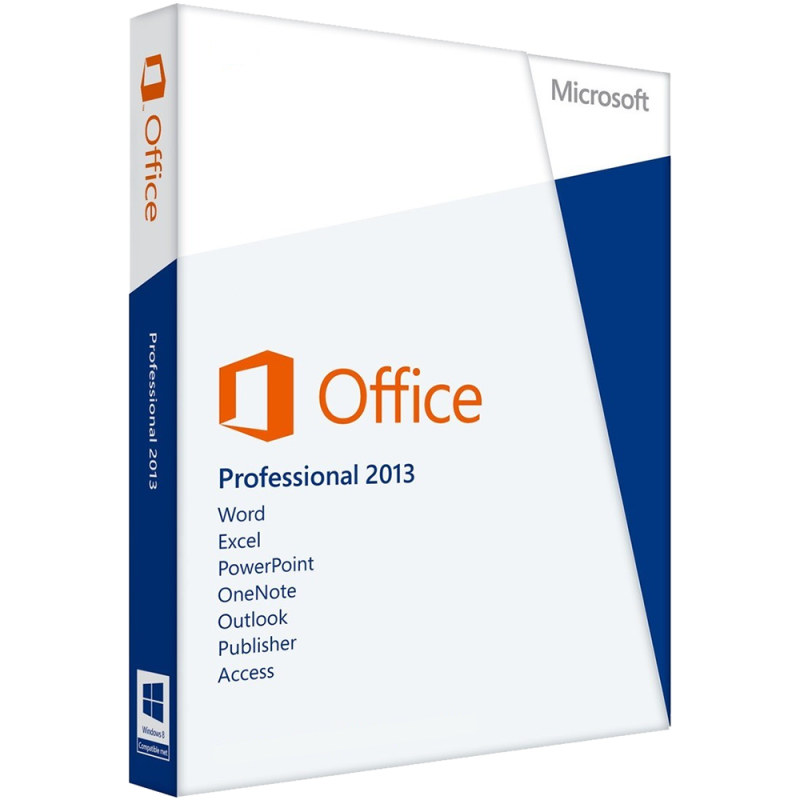
✅ Microsoft Office 2013 Professional Plus, PC, 32/64 bit, ISO Retail, digital license, Global
_x000D_\nGet the trusted power of Microsoft’s productivity suite with a genuine Microsoft Office 2013 Professional Plus digital license. This version supports both 32 bit and 64 bit systems, includes an ISO file for offline installation, and features a Retail license that offers global activation and lifetime validity all delivered instantly via email. As a Retail license, it’s transferable to another device, making it ideal for long term use on home, school, or business computers._x000D_\n
🔍 Overview: Why Choose Microsoft Office 2013 Professional Plus?
_x000D_\nOffice 2013 Professional Plus is a robust and full featured productivity suite designed for professionals, students, freelancers, and businesses. It offers a clean, modern user interface, cloud connectivity via OneDrive, and compatibility with modern Windows systems._x000D_\nDespite being an older version, Microsoft Office 2013 Professional Plus remains a reliable, stable, and lightweight alternative to subscription based Office 365, especially for users who prefer full local installations._x000D_\n_x000D_\n
Included Applications:_x000D_\n
_x000D_\n - Word 2013: Create, edit, and format professional documents with new templates and better reading mode
_x000D_\n - Excel 2013: Analyze data using advanced charts, PowerPivot, Sparklines, and Quick Analysis tools
_x000D_\n - PowerPoint 2013: Build presentations with improved transitions, animations, and Presenter View
_x000D_\n - Outlook 2013: Manage your email, calendar, tasks, and contacts with a cleaner and faster interface
_x000D_\n - OneNote 2013: Capture notes, drawings, and clippings across devices
_x000D_\n - Access 2013: Design and manage databases with powerful templates and reporting tools
_x000D_\n - Publisher 2013: Create polished flyers, newsletters, brochures, and marketing materials
_x000D_\n - InfoPath 2013: Build rich web forms and automate information workflows (for enterprise users)
_x000D_\n
_x000D_\nThis suite is perfect for productivity focused users looking for stable and effective tools without cloud lock in or subscriptions._x000D_\n
⚙️ System Compatibility
_x000D_\nMicrosoft Office 2013 Professional Plus is widely compatible with older and modern hardware:_x000D_\n
_x000D_\n - Operating Systems: Windows 7, Windows 8/8.1, Windows 10, Windows 11 (32/64 bit)
_x000D_\n - Architecture: 32 bit and 64 bit supported
_x000D_\n - CPU: 1.0 GHz or faster processor with SSE2 support
_x000D_\n - RAM: 2GB (64 bit) or 1GB (32 bit) minimum
_x000D_\n - Storage: At least 3GB of available space
_x000D_\n - Display: 1024 x 576 resolution minimum
_x000D_\n - Microsoft Account: Required for activation and product license management
_x000D_\n
_x000D_\nThis version is a great fit for older systems, virtual machines, or budget workstations with limited resources._x000D_\n
💾 How to Install Microsoft Office 2013 Professional Plus via ISO
_x000D_\nYour license includes an official ISO file for offline installation, perfect for clean setups or air gapped machines:_x000D_\n
_x000D_\n - Download the ISO file using the secure link provided after purchase
_x000D_\n - Right click the ISO and select "Mount" (or use virtual drive software)
_x000D_\n - Run
setup.exe from the mounted image _x000D_\n - Follow the installation wizard and select either 32 bit or 64 bit version
_x000D_\n - Complete setup and launch any Office app to begin activation
_x000D_\n
_x000D_\nThis method ensures a reliable and fast installation, even without an internet connection._x000D_\n
🔑 How to Activate Microsoft Office 2013 Professional Plus
_x000D_\nOnce installed, activate your product with these simple steps:_x000D_\n
_x000D_\n - Launch Word, Excel, or any other Office application
_x000D_\n - Go to File → Account → Change Product Key
_x000D_\n - Enter the 25 character license key received via email
_x000D_\n - Follow the prompts and complete online activation
_x000D_\n
_x000D_\nThe Retail license allows reinstallation on another device in case you upgrade your PC._x000D_\n
📈 SEO Keywords
_x000D_\nbuy Office 2013 Professional Plus license key_x000D_\n_x000D_\nMicrosoft Office 2013 ISO retail digital download_x000D_\n_x000D_\nOffice 2013 32/64 bit global activation_x000D_\n_x000D_\nOffice 2013 Professional Plus offline installer_x000D_\n_x000D_\ninstall Office 2013 via ISO file_x000D_\n_x000D_\nOffice 2013 retail license transfer_x000D_\n_x000D_\nMicrosoft Office 2013 Professional Plus ISO Retail_x000D_\n_x000D_\nMicrosoft Office 2013 Professional Plus PC_x000D_\n_x000D_\nOffice 2013 vs Office 365 comparison_x000D_\n_x000D_\nMS Word Excel PowerPoint Outlook 2013 key_x000D_\n_x000D_\ndownload Office 2013 Professional Plus globally


 Products marked ⚡Instant delivery via email
